
IRLBox
Multi-tenant SaaS giving each streamer a branded space, OBS-ready widgets, and an AI pipeline that transcribes, titles and emotionally scores every message that comes in.
- Role
- Solo — architecture, AI pipeline, interface
- Period
- 2025 — Present
- Type
- Platforms
- Status
- production
- 140k
- Lines of TypeScript
- 149
- API routes
- 151
- Test files
- 55
- DB migrations
Showcase
Walkthrough
Overview
IRL streamers get sent a firehose of messages and audio from their audience, and the interesting problem is not filtering slurs — it is triage. Which of these hundreds of submissions is worth reading on stream right now?
IRLBox answers that by processing every submission through an AI pipeline: audio is transcribed with Whisper, a title and summary are generated so the streamer can scan instead of read, and an emotion and intensity score is attached so the genuinely heavy messages surface instead of drowning. The streamer moderates from a queue; the audience sees a public feed.
Each streamer runs on their own branded space with OBS-embeddable widgets, on shared infrastructure isolated by Postgres row-level security. Around that core sit classifieds, surveys, connections, a marketplace and a documentation portal — 149 API routes and roughly 140,000 lines of TypeScript.
Architecture
System architecture
Scroll to pan
What happens to a submission
Scroll to pan
One deployment, many brands
Scroll to pan
Screens
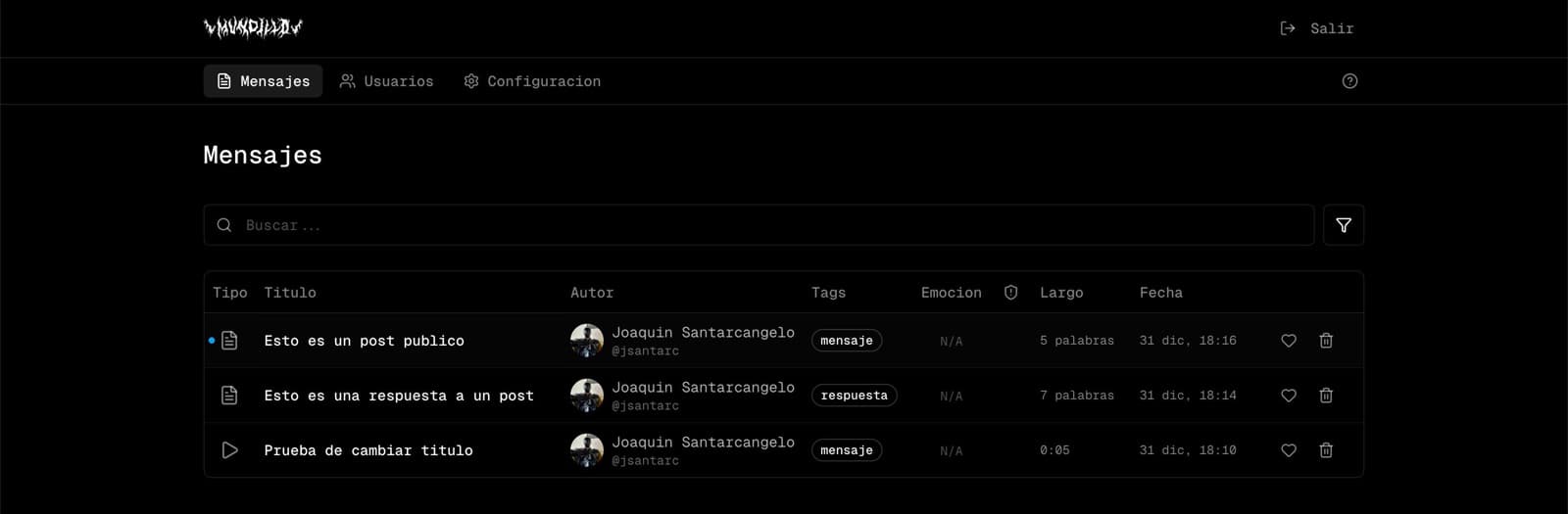
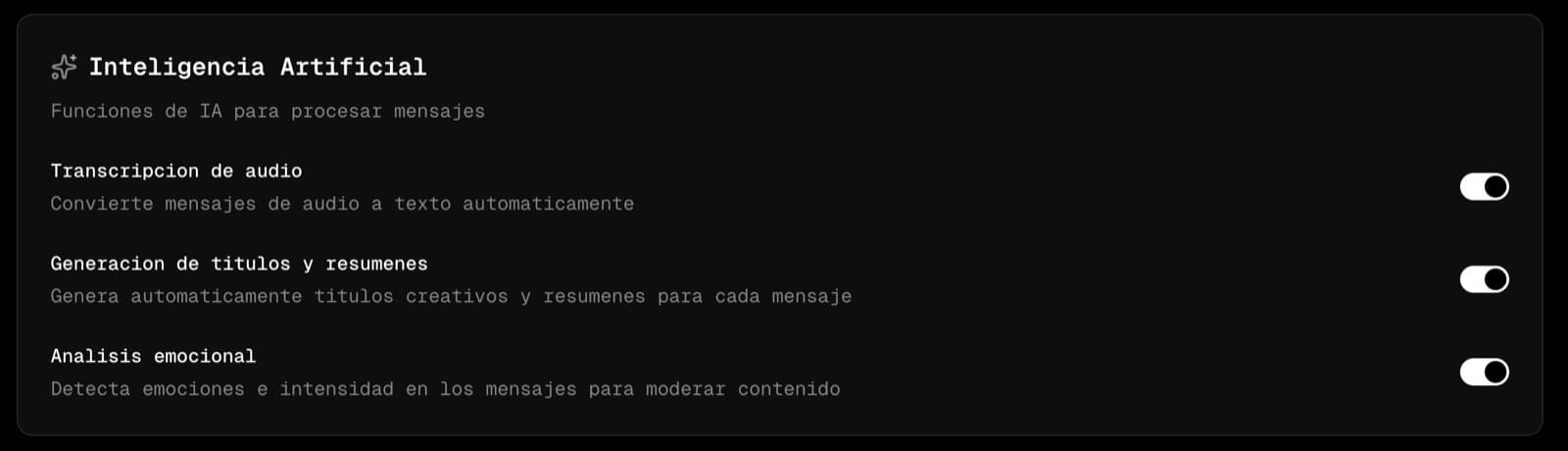
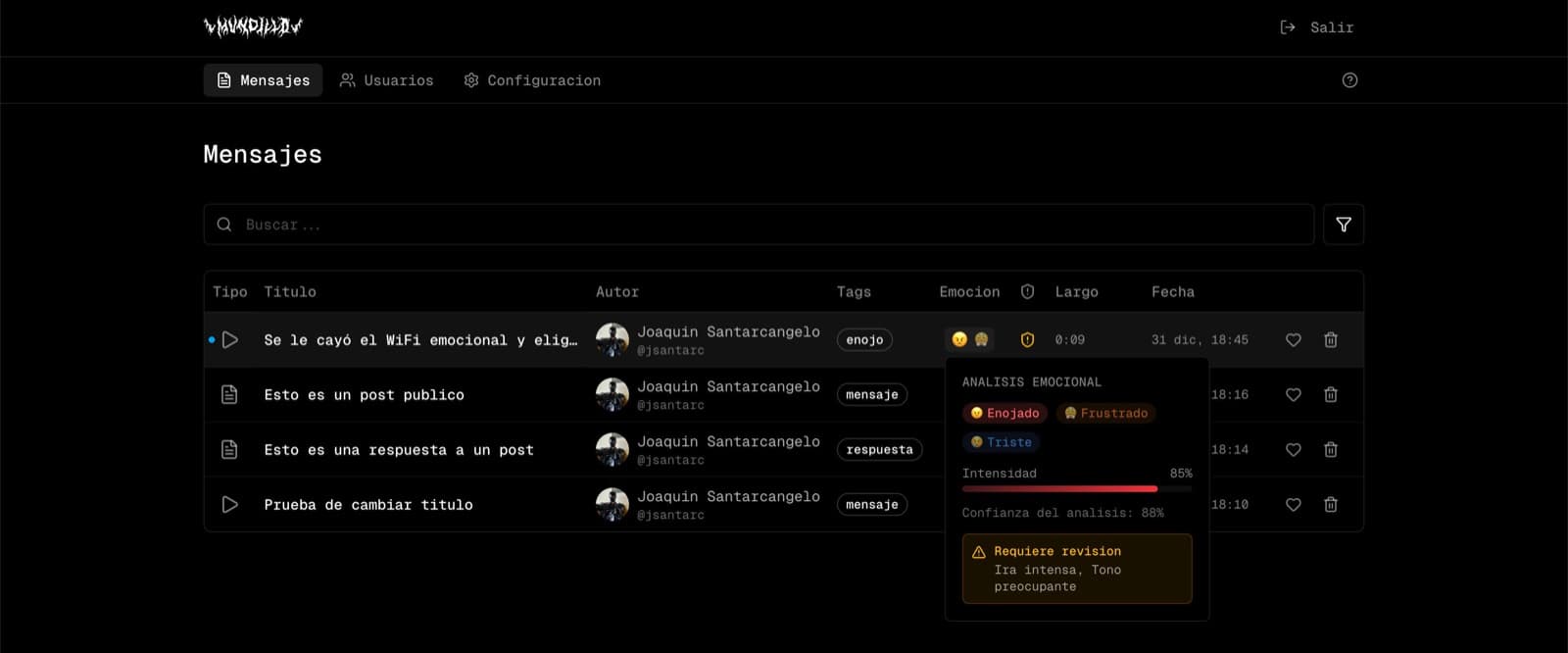
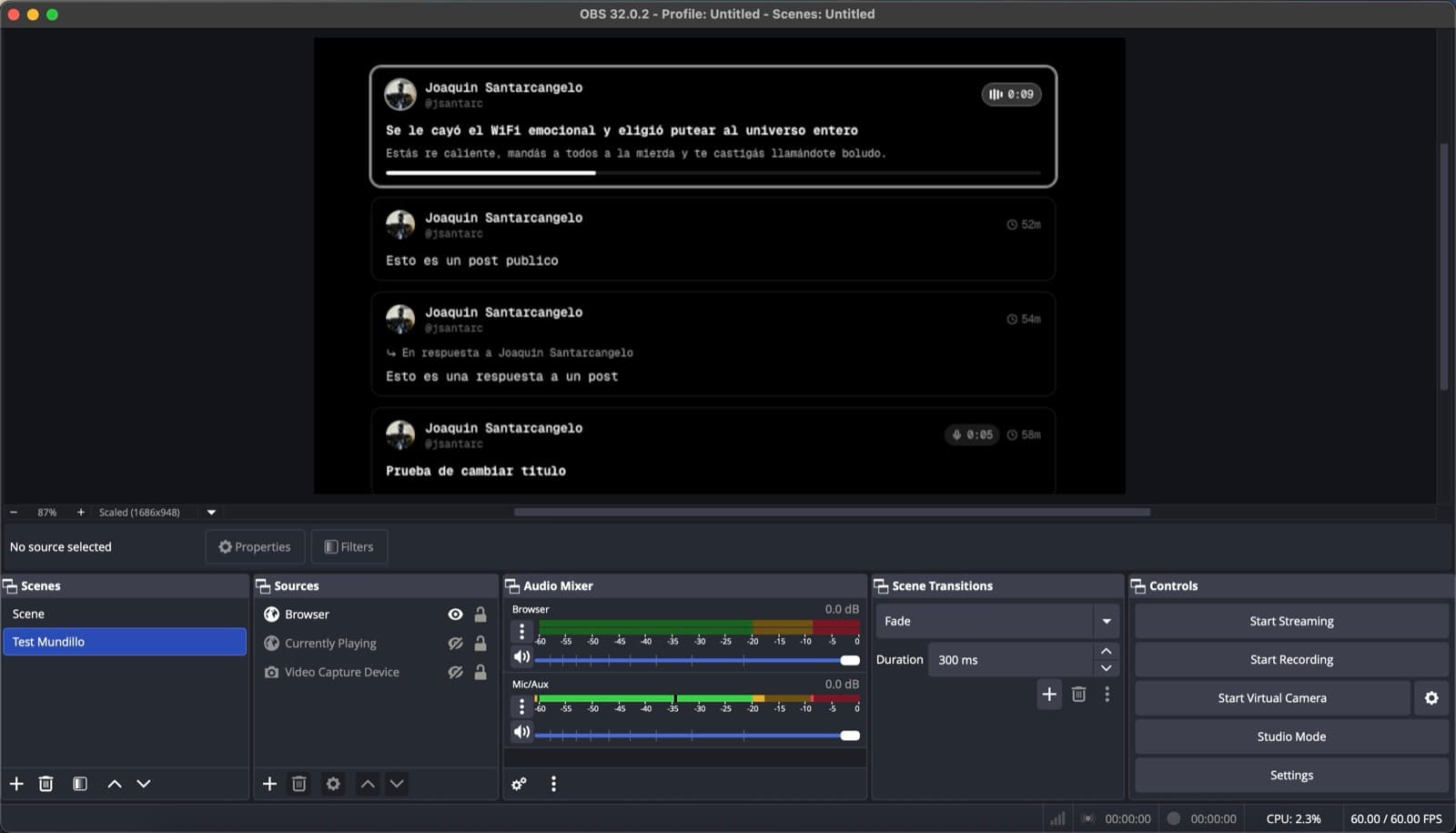
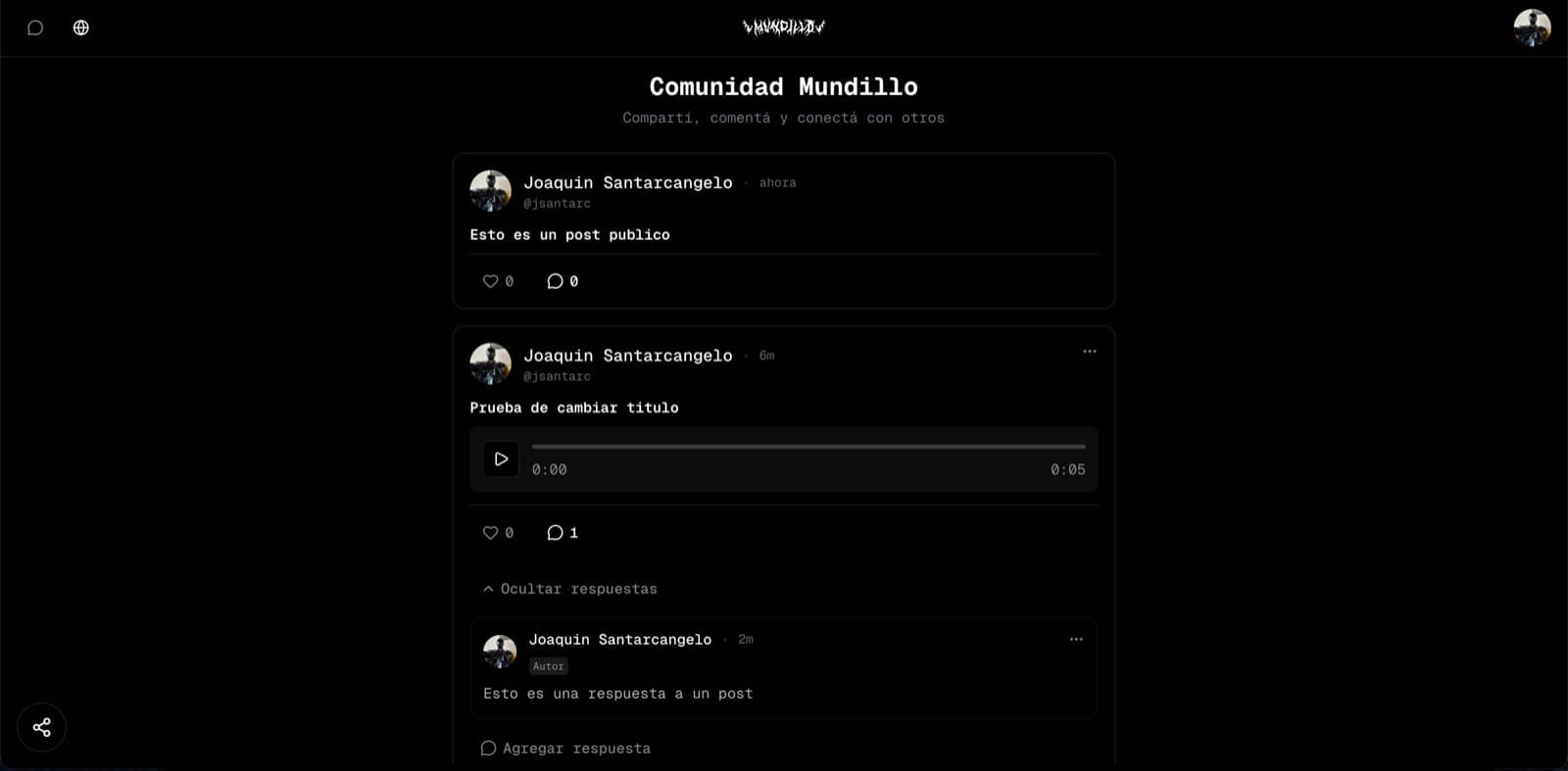
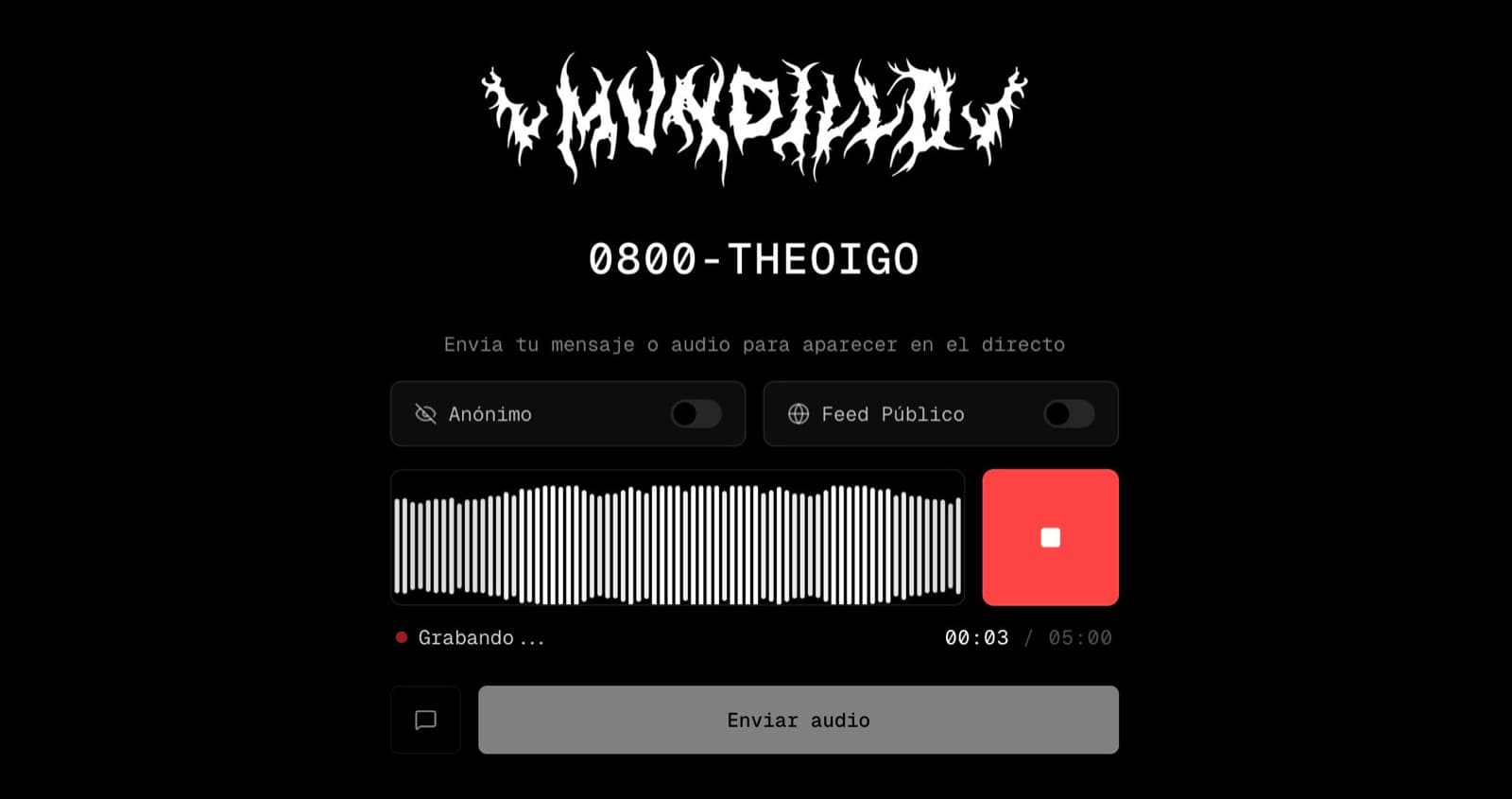
Modules
Submissions & feed
The core loop: a viewer sends text or audio, the streamer triages it, and the public feed reflects what got through.
- Text and voice submissions from viewers
- Public feed with replies and threading
- Viewer profiles with their own message history
- Per-message detail with the full AI readout
AI pipeline
Every submission passes through transcription, summarisation and emotional analysis before it reaches a human.
- Whisper transcription for audio messages
- Generated titles and summaries so a queue is scannable
- Emotion and intensity detection to surface what matters
- Per-tenant toggles for each stage of the pipeline
OBS widgets
Embeddable browser sources that put the community on screen without the streamer alt-tabbing.
- Message widget for reading submissions live
- Now-playing widget
- Links and announcement overlays
- Built against the constraints of streaming software, not a normal browser
Moderation & admin
The streamer-facing console: the queue, the users, and every switch that changes how the pipeline behaves.
- Moderation queue with search, filters and tags
- User management and per-user history
- Configuration for AI, forms and links
- Audit trail on moderation actions
Community surfaces
The features that make a stream a community rather than a broadcast.
- Classifieds and a marketplace
- Surveys and polls
- Connections and guest management
- Announcements and editorial posts
Multi-tenancy
Every streamer is a tenant with their own branding and their own data, on one deployment.
- Domain and subdomain tenant resolution in middleware
- Row-level security as the isolation boundary
- withTenant / withAuth / withAdmin wrappers on every API route
- Per-tenant theming and configuration
Platform services
The unglamorous layer that keeps a live product from falling over.
- Upstash Redis rate limiting
- Sentry monitoring and error tracking
- Realtime subscriptions for live updates
- Subscriptions, payments and email
Engineering
Triage, not filtering
The obvious build is a toxicity filter. The useful build is a ranking problem: a streamer with three hundred pending messages needs the two that matter to rise. Generating a title, a summary and an emotional intensity score for every submission turns an unreadable queue into a scannable one.
Widgets that survive OBS
A browser source inside streaming software is not a normal browser: constrained rendering, no user interaction, and a hard requirement never to flicker on stream. The widget system is built against those limits rather than assuming a page nobody is watching in 1080p.
One deployment, many brands
Tenant context is resolved in middleware from the domain and enforced by row-level security, then re-asserted by middleware wrappers on all 149 API routes. Isolation is structural — a route that forgets the tenant does not compile into the pattern.
Spanish product, English codebase
The product speaks Rioplatense Spanish to its users; the code is entirely English. That split is written down as a glossary — clasificados becomes listings, encuestas becomes surveys — so contributors and agents stop inventing a third dialect halfway through.
AI harness
IRLBox is driven from a 284-line operating manual that encodes the destructive-command rails, the API contract and the naming law, plus a Spec Kit pipeline for features big enough to deserve a written spec before code.
CLAUDE.md as an operating manual
Not a README. It opens with a table of database commands that must never run against production and their safe alternatives, then defines the stack, the directory map, the file-naming rules, the API middleware contract, response and cache-header standards, and a hard 150-line ceiling per component file. An agent that reads it writes code that looks like the rest of the codebase.
- CLAUDE.md
A naming law with a glossary
All identifiers in English, all user-facing copy in Spanish, and a translation table pinning the ambiguous ones — clasificados to listings, encuestas to surveys, envios to submissions. Without it every contributor invents their own half-translation and the codebase drifts into Spanglish.
- CLAUDE.md
Role-specific worker briefs
The documentation worker carries its own voice specification: Rioplatense Spanish, vos rather than tú, an avoid/prefer table, and a product glossary defining what a Box, a widget and an encuesta are. Documentation written by an agent reads like the product instead of like a manual.
- .claude/workers/docs-user-guide.md
Spec Kit for the large features
Features worth planning get the full pipeline: spec, plan, research, data model, API contracts, task breakdown and a requirements checklist, all committed. The editorial layer went through it end to end. Small changes skip it — the point is proportionality, not ceremony.
- .specify/
- specs/001-editorial-layer/
An explicit tool allowlist
Settings enumerate exactly which commands an agent may run unattended. Everything outside the list prompts. It is the difference between an assistant that can run the test suite and one that can drop a table.
- .claude/settings.local.json
Worktrees for parallel work
Separate git worktrees let several agent sessions work on different features at once without fighting over one checkout, each on its own branch against the same local Supabase.
- irlbox-worktrees/
Tests as the acceptance gate
151 test files across Vitest and Playwright, plus a CI workflow. When agents write the code, the test suite is what decides whether the work is done — so the suite is the part worth being strict about.
- tests/
- .github/_workflows/ci.yml
Stack
- 01Next.js 16
- 02React 19
- 03TypeScript
- 04Supabase
- 05OpenAI
- 06Remotion
- 07Upstash Redis
- 08Sentry
- 09Vitest
- 10Playwright